
EQuip Inventory Detailed Features
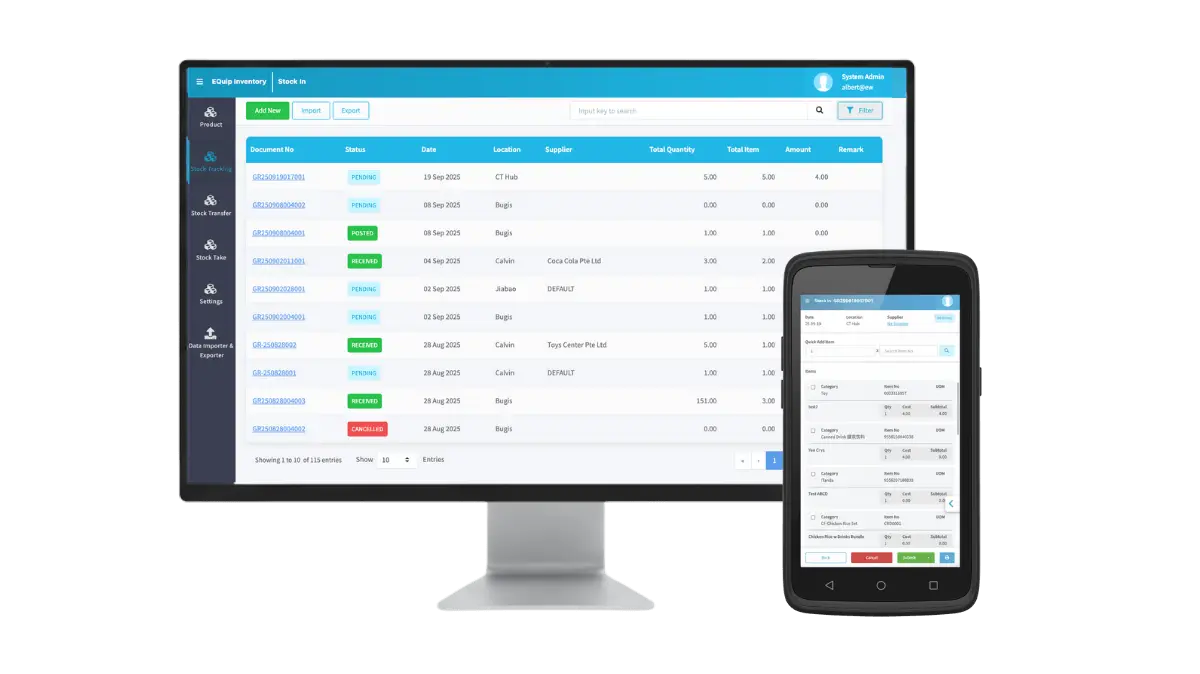

How EQuip Inventory Works: From Suppliers to Customers
The diagram above illustrates the complete EQuip Inventory ecosystem. A connected, intelligent system that manages your entire stock flow from suppliers to outlets with real-time visibility and control. Your central warehouse acts as the hub, receiving goods from multiple suppliers, distributing them to retail outlets, and tracking every movement. From purchase to replenishment, through automated workflows and smart classification.

Dashboard & Action Center
EQuip Invetory now opens with a data-driven homepage dashboard, giving managers instant visibility and actionable insights.

Inventory Metrics
Total SKUs, Stock Balance, Incoming/Outgoing stock, Aging Stock, Pre-orders
Action Center
Centralized area for approvals and pending actions — including POs, Purchase Requests, Stock Requests, and Pending Shipments
Business Value
Reduces navigation time, accelerates approvals, and ensures nothing is missed across your operations.

Supplier & Purchase Order Management
Manage all supplier purchases from one place, now with automation and scheduling options.
Multi-Supplier Coordination
Manage unlimited suppliers within one platform. Assign preferred suppliers per item to streamline purchasing.
Purchase Order Creation
Create and manage POs for specific locations (warehouse or outlets), with:
-
- Quick Add / Barcode scanning
- Load Low Quantity (auto-populate based on stock thresholds)
- Load Templates or Import from Excel
- Currency & GST handling
- Auto-email to supplier upon approva
Approval Process
-
-
Manual or Auto-approval (based on pricing rules)
-
System supports scheduled/automated POs for recurring replenishment (daily, weekly, monthly).
-
Scheduled & Automated POs
Automatically generate POs based on:
-
-
Low-quantity or classification filters (A-Class, X-Class, Fast-Moving)
-
Configurable schedule — daily, weekly, or monthly
This helps maintain optimal stock without manual monitoring.
-

Purchase Request
EQuip Inventory introduces a dedicated Purchase Request (PR) System, allowing outlets or departments to request items from HQ before a PO is created.
Workflow:
- Staff submits PR specifying items and justification.
- HQ reviews and approves, rejects, or converts directly to PO.
- Approved PRs can be consolidated to create bulk POs by supplier or outlet — maximizing cost efficiency.
Business Benefit
Streamlined request-to-purchase cycle, reduced duplicate orders, and better purchase planning visibility.

Goods Receiving & Post-Receive Workflow
Receive goods from suppliers quickly and accurately.
Goods Receiving
Two modes:
-
-
With PO: Validate quantities and receive items partially or fully.
-
Without PO: Direct receiving for ad-hoc deliveries.
-
Partial Receiving Options
Partial Receiving Options:
-
-
Wait for next delivery
-
Close and record shortage
-
Close and write off discrepancy
-
New “Post-Receive” Function
After warehouse receipt, the finance team can adjust final item costs (discounts, freight, GST) for accurate financial posting and separating physical receiving from financial reconciliation.

Stock Request System
Replaces the older Stock Indent and Stock Transfer functions.
Key Highlights:
-
-
One unified module for all stock movements between locations.
-
Outlets request stock from warehouse or other outlets.
-
Destination location approves and fulfills the request.
-
Optional reroute to alternate outlet if stock unavailable.
-
Supports scheduled/automated Stock Requests (daily/weekly/monthly).
-
Auto-Creation Rules:
-
-
When warehouse lacks stock → system auto-creates Purchase Request to HQ.
-
After PO receipt → auto-creates Stock Request to requesting outlet.
-
This closes the replenishment loop completely.

Product Classification
EQuip Inventory now includes a built-in product classification system to help you analyze and manage stock performance more effectively. The system categorizes products based on sales contribution, demand stability, and movement speed.
| Type | Purpose | Example Classes |
|---|---|---|
| ABC | Revenue contribution | A = top 75%, B = next 15%, C = last 10% |
| XYZ | Demand predictability | X = stable, Y = seasonal, Z = irregular |
| Movement | Inventory velocity | Fast, Average, Slow |
Applications:
-
-
Auto-reordering filters (A + X + Fast)
-
Targeted stock takes (A-class or Fast movers)
-
Clearance identification (C + Z + Slow)
-
Business Impact:
Data-driven decisions, reduced overstock, optimized replenishment frequency.

Stock Take & Verification
Physical stock verification now enhanced with automation and classification.
Now enhanced with classification filters:
-
-
Stock Take by ABC, XYZ, or Movement class
-
Partial, full, or scheduled stock takes
-
Two-person verification for added security
-
Example configurations:
-
-
A-Class: Weekly count
-
Y-Class: Seasonal count
-
Fast-Moving: Daily/weekly checks
-

Controlled Adjustments, Full Audit Trail
Track non-sales inventory movements accurately.
-
-
Stock Issue for wastage, marketing, or internal use
-
Two-step approval for every stock adjustment
-
Real-time cost recalculation using weighted average
-
Audit history for every user action
-
Ready to Transform Your Inventory Operations?
See how EQuip can streamline your supply chain, eliminate stockouts, and give you complete visibility across all locations. Schedule a personalized demo with our team to discuss your specific business needs.